Web Performance Tactics Cheatsheet
Quick-reference cheatsheet covering business impact, Core Web Vitals thresholds, three types of performance data, optimization tactics organized by metric, and local development setup.

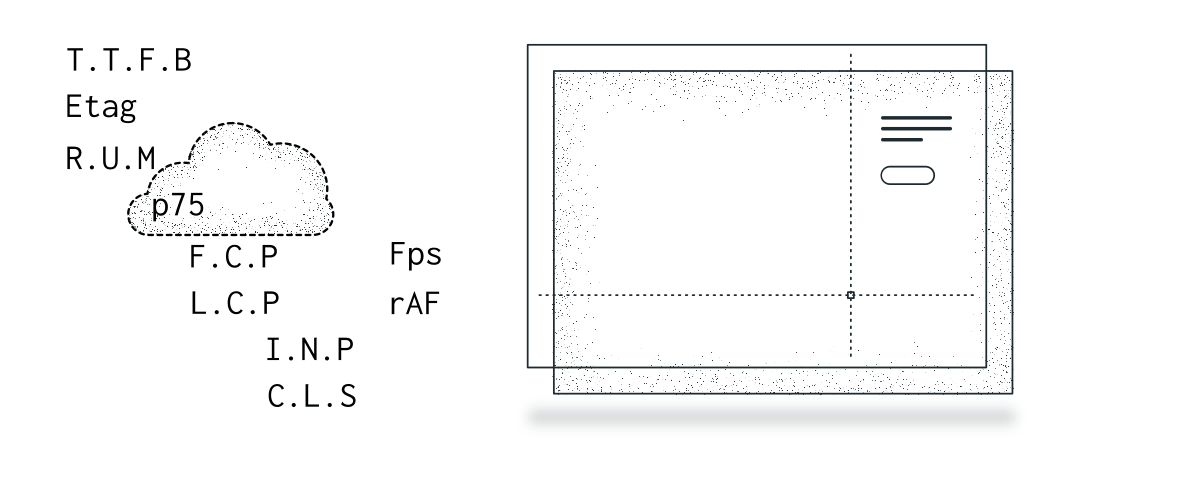
Most of the material here comes from Todd Gardner’s Web Performance v2 course on Frontend Masters.
Numbers and metrics are a convenient way to track progress, but the real goal is providing a great user experience — as perceived by humans, which is the best we can measure.
Why Performance Matters
Performance isn’t a technical nice-to-have. It has direct, measurable impact on business outcomes and search ranking.
User behavior:
- 40% of users abandon a site after 3 seconds of waiting
- 75% of users who experience a “slow” site won’t return
- People will wait for value — but bored, anxious, unexplained, or uncertain waits feel slower
- Users remember a site as slower than it actually was
SEO and Google ranking:
Google’s PageRank directly incorporates Core Web Vitals. A site that fails CWV thresholds gets penalized in search results. This makes performance a ranking factor, not just a UX factor. For competitive keywords, being fast can be the tiebreaker.
Weber’s Law (the 20% Rule):
To be perceived as faster than a competitor, you need to be roughly 20% faster. Users don’t notice small differences. This applies to any perceivable change — not just load time.
Business metrics:
Business metrics can be extracted from web analytics tools. They help you understand the user journey within a product: engagement, retention, and feature adoption, measured through session duration, bounce/entry/exit rates, and user environment data such as device type, screen resolution, and location.
This is definitely a complex topic that would require a dedicated post. However, at a high level, these metrics can provide value when analyzing correlations between Core Web Vitals and key business outcomes.
An important note: correlation does not imply causation. However, when interpreted carefully, correlations with Core Web Vitals can reveal meaningful patterns and provide useful directional insights.
Three Principles
Three rules from Todd Gardner’s course:
- First things first. Fix the easiest thing on the worst metric using real user data. Don’t optimize what isn’t broken.
- Last things never. You can’t fix everything. Every optimization costs time and resources — sometimes “fast enough” is the right target.
- Do fewer things. The fastest DOM node is the one you never create.
Core Web Vitals
Google uses p75 (75th percentile) to determine scores. A site “passes” if 75% of visits fall within the “good” range. Not the average — the percentile.
Percentiles, Not Averages
If you’re not familiar with percentiles — they solve the problem that averages hide. If 90% of users load in 1 second and 10% load in 20 seconds, the average says 2.9 seconds. That describes nobody’s actual experience.
p75 means 75% of your users are faster than this value, 25% are slower. Google uses p75 for Core Web Vitals — a site “passes” if 75% of visits fall within the “good” range. p95 catches your worst-off users — often on slow networks or old hardware.
Thresholds
| Metric | Good | Needs Improvement | Poor |
|---|---|---|---|
| TTFB (Time to First Byte) | ≤ 800ms | ≤ 1800ms | > 1800ms |
| FCP (First Contentful Paint) | ≤ 1.8s | ≤ 3.0s | > 3.0s |
| LCP (Largest Contentful Paint) | ≤ 2.5s | ≤ 4.0s | > 4.0s |
| INP (Interaction to Next Paint) | ≤ 200ms | ≤ 500ms | > 500ms |
| CLS (Cumulative Layout Shift) | ≤ 0.1 | ≤ 0.25 | > 0.25 |
What Each Metric Captures
- TTFB — server and network performance. Affects FCP and LCP downstream.
- FCP — first time the browser switches from white to something. Not related to scripts — it’s about render-blocking resources (CSS, fonts).
- LCP — time until the largest visible element renders. Depends on TTFB and FCP. Usually an image (9/10 times), video, CSS background, or text block. Elements with
opacity: 0, very small size, or low entropy (blurred placeholders) don’t count. - INP — worst interaction response time across clicks, drags, touch, keypress. Not about load — about responsiveness after load. Heavily influenced by device capability.
- CLS — layout shifts during the page lifecycle. Measured as impact fraction × distance fraction. It’s not one score — it’s many scores aggregated at p75.
Browser Caveat
Initially these metrics were only available in Chrome. However, since the end of 2025, the latest versions of Firefox and Safari now support LCP & INP metrics. You can check on the caniuse.com website:
- caniuse - LCP
- caniuse - Event Timing: the Event Timing API powers Interaction to Next Paint.
The field data depend on browsers’ target audience: platform (mobile, desktop), geographic area (Safari on mobile will be related to areas where people can buy Apple devices), and whether the browser is compatible with CWV.
Three Types of Performance Data
The strategy: field data first, lab data for diagnostics.
| Aspect | RUM (Real User Monitoring) | Lab Data | Synthetic Test (Lighthouse, WebPageTest) |
|---|---|---|---|
| Source | Real users, real devices | Controlled environment (your machine) | Automated script in simulated environment |
| Environment | Unpredictable: network, hardware, geography | Semi-controlled (local) | Fully controlled (throttling, emulation) |
| Reproducible? | No — varies per user | Partially | Yes — same conditions every run |
| Metrics | Core Web Vitals from real users (CrUX, RUM tools) | Lighthouse on dev machine, DevTools | Lighthouse CI, WebPageTest, PageSpeed Insights |
| Best for | Understanding real-world UX | Debugging issues locally | Benchmarking, regression tests |
| Limitations | Harder to isolate issues | Can differ from real-world | Not representative of actual user experience |
When to use each:
- RUM tells you what’s actually happening to your users. Start here to identify which metric to fix.
- Lab data lets you reproduce the problem locally with DevTools Performance panel, traces, and Network waterfall.
- Synthetic tests (Lighthouse) give you a reproducible before/after score for validating that your fix worked.
Optimization Tactics by Metric
Improve TTFB (Server & Network)
- Enable compression: gzip or Brotli
- Enable HTTP/2 or HTTP/3
- Use CDN for host proximity — check
Cdn-Cache: HITvsMISS - Avoid sequential request chains where possible. When requests are independent, run them in parallel using
Promise.all(orPromise.allSettledif partial failure is acceptable). - Track and remove duplicated or useless API calls
Cache-Control/Expires— for static assets (CSS, JS, images) that don’t change often. The browser won’t even make a request.- 0
ETag+If-None-Match— for dynamic content (API responses, HTML). The browser asks “is this still valid?” and gets a lightweight304 Not Modifiedif it is. - Measure TTFB in the Network panel timing row
Improve FCP (Rendering)
- Remove render-blocking chains — CSS and fonts are render-blocking
- Bundlers eliminate
@importchains in shipped CSS - Use
<link rel="preload">for critical-path resources (styles, fonts, scripts) - Lazy-load non-critical JavaScript — use
deferin most cases - Script modules are always deferred by default
- Script placement (head vs body) probably doesn’t matter anymore — it forces fetch order instead of letting the browser decide
- Minimize bundle size: manual chunks (Vite), async components and routes (Vue + Vue Router)
Improve LCP
LCP depends on TTFB and FCP — improving those improves LCP automatically.
- Identify the largest element:
img,video, CSS background, or text - Above the fold = eager load, consider
<link rel="preload">orfetchPriority="high" - Below the fold = 100% lazy (
loading="lazy") - Use modern image formats: WebP or AVIF
- Use
srcsetfor responsive sizing - Note:
preloaddoesn’t work well with responsive images (you don’t know which size to preload) - Paginated endpoints with size parameters — often the biggest single win for data-heavy pages
Improve INP (Interactivity)
- Yield the main thread:
setTimeout(..., 0)to defer non-critical work requestAnimationFrame(“rAF”) for work that needs to happen just before the next paint- Break long tasks into smaller chunks
- Measure with Performance panel → record an interaction (click a button)
- Test with CPU throttling — INP is heavily influenced by device capability
- Reduce DOM nodes → virtualization for large lists
- Identify and break long tasks in Performance traces
Improve CLS (Layout Stability)
- Always add
widthandheightto all<img>tags — aspect-ratio matters, not raw pixel numbers - Use
aspect-ratioor fixedmin-heighton containers that receive dynamic content - Use
position: absolutefor overlay content - Watch out: lazy loading tactics can cause layout shifts — CLS and LCP tactics sometimes conflict
Perception
When you can’t get faster, feel faster.
- Skeleton screens — a 3-second load with a skeleton feels faster than 2 seconds of white screen
- Progress indicators for API calls over 1 second
- Disabled interactions while loading — prevent “I clicked and nothing happened”
- Optimistic UI for high-confidence actions
- Query cache + optimistic updates (TanStack Query or similar)
Local Development Setup
Synthetic tests on your dev machine will always be faster than production. The gap is consistent: typically 33–50% faster locally. Use that ratio to derive local targets.
If you have RUM data: calculate target_local = production_target / 1.5. For a 2.5s LCP production target, aim for < 1.7s locally.
If you don’t have RUM data: use Google’s CWV thresholds as targets directly and treat local results as optimistic estimates.
Realistic Local Testing
- Open DevTools in a separate window (don’t shrink the viewport) and use Incognito mode to avoid extra loading from extensions.
- Enable Responsive Mode — use a realistic device (e.g., 1366×768 at 1× density for “small laptop”)
- Set Network throttling to a realistic profile
- Set CPU: 4× slowdown in Performance panel
- Run Lighthouse with the desktop preset
Tools
- Web Vitals Extension — quick CWV readings in the browser (sometimes TTFB doesn’t show — check Console)
- Lighthouse — synthetic scoring, useful for before/after comparison
- Performance panel — record interactions, view traces, identify long tasks
- PageSpeed Insights — combines lab data with CrUX field data
References
- Todd Gardner — Web Performance v2 (Frontend Masters) — primary source for this cheatsheet
- Core Web Vitals (web.dev)
- Defining Core Web Vitals Thresholds — why p75, how Google sets the numbers
- New Relic Page Load Timing — DOM processing and page rendering breakdown
- The Anatomy of a Web Performance Report (PerfPlanet)